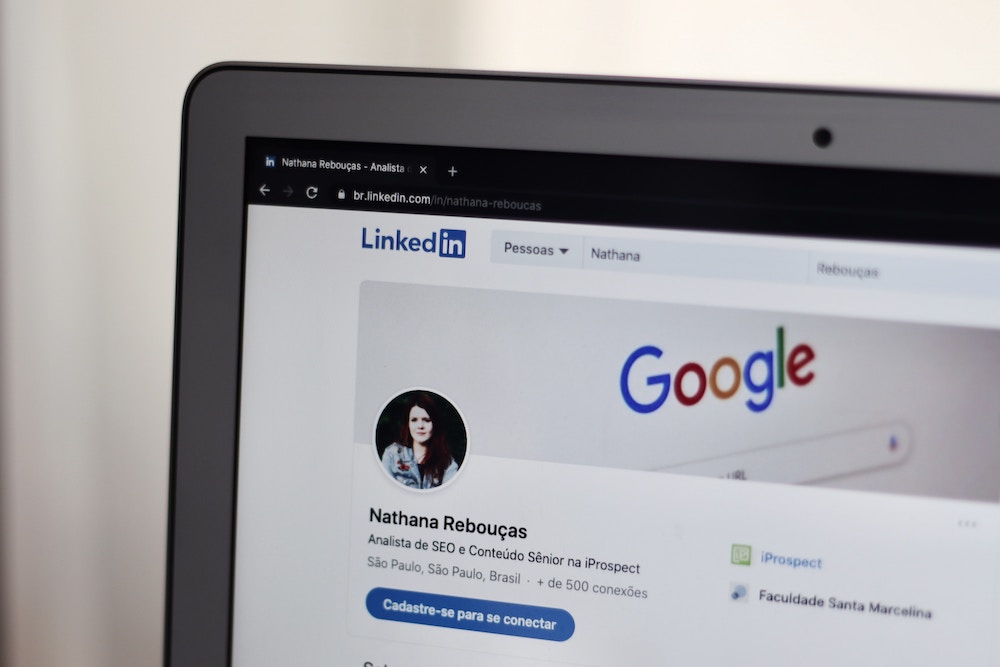
A good LinkedIn headshot that stands out is possibly the most critical factor in getting someone to stop and notice your profile. That’s true whether you’re looking to network, grow your personal brand, or get noticed by recruiters.
However, obtaining a quality headshot for your LinkedIn profile could require more time and effort than you expect. In addition to capturing the photo, you have to consider these factors:
- Figuring out the color and style of your backdrop
- Creating optimal lighting conditions for your close-up
- Editing and retouching the shot to produce studio-quality results
In this guide, we’ve broken down each step of the process so you can successfully secure the best LinkedIn headshots for yourself or your entire team. We’ll explore planning, expenses, and real-life examples so you can update your headshot(s) as soon as possible.
Why Your LinkedIn Headshots Are So Important
You can’t overstate the power of a polished, professional LinkedIn photo. Remember, your LinkedIn profile picture is objectively your first impression when messaging people, networking, or being seen by recruiters combing through profiles. So we think it’s best to avoid a selfie and opt for a more professional looking photo.
The best way to understand a good headshot’s importance is to see it yourself. Let’s take a look at this headshot example:
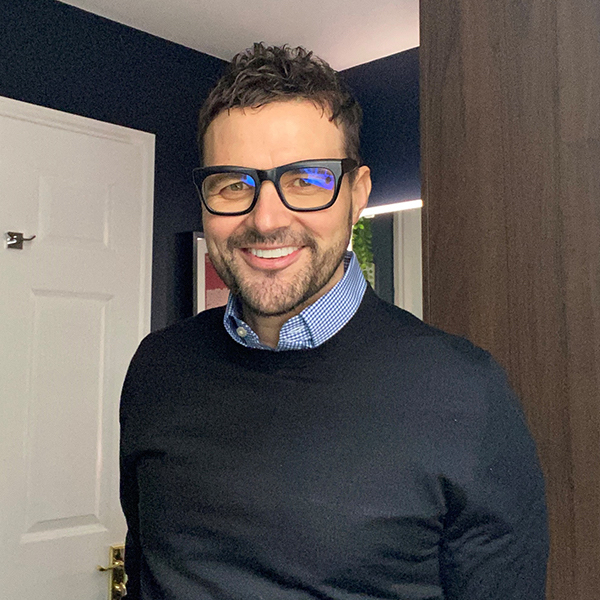
This LinkedIn headshot does a lot of things right. The image is clear, and the subject wears a friendly smile and appropriate attire. However, the background is rather distracting and lacks an aura of professionalism.
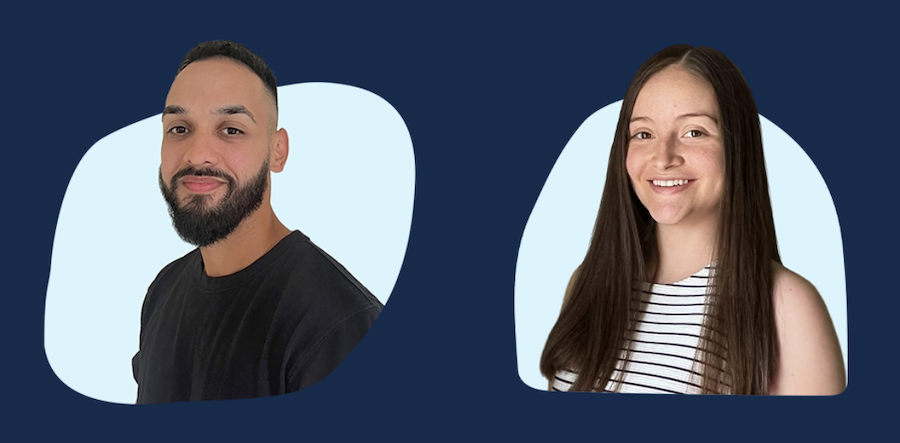
Now, let’s compare it to this LinkedIn headshot:
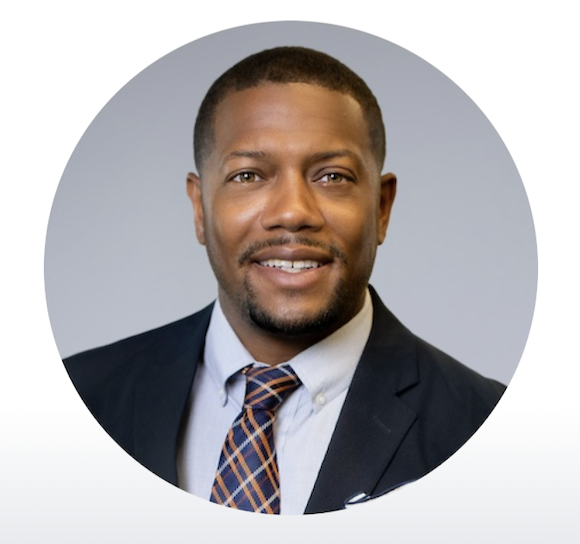
While the first headshot was good, this one is great! This photo checks all the boxes with professional attire, a strong pose, a polished appearance, and a neutral background. These details can make all the difference when you seek a new position.
How to Get Professional Headshots for LinkedIn (For You or Your Team)
Whether you want LinkedIn headshots for yourself or your entire team, there are typically two common paths you can take to get the job done…
The Traditional Way
1. Preproduction
Before approaching professional photographers, choose a few blocks of available time to pitch them. Many photographers book several weeks in advance, so you might have to wait longer than anticipated to receive your final headshots.
If you’re planning LinkedIn headshots for an entire team, you need to coordinate schedules and find a session time that works for everyone. Keep in mind that splitting a photo shoot into several days can be costly.
Another factor to consider is what you’d like your backdrop to look like ahead of time. Share that with your photographer as well.
3. Securing a Photographer
Once you find a photographer who can work with your schedule, it’s time to iron out the contract around the shoot’s scope and budget. Be sure to factor in the cost of studio equipment, rentals, and time away from your job.
You should also speak with your team regarding wardrobe and punctuality to ensure your photo session runs smoothly.
3. Shoot Day
The big day is finally here! Though your photographer helps direct poses for each headshot, having a reference image in mind to get the great photos you want is helpful.
Ensure everyone dresses professionally, uses good posture, and has a big smile in their pictures.
4. Postproduction
After the shoot, expect some back-and-forth communication between you and your photographer during the editing process. Generally, you can expect your finished photos within 2–3 weeks, though additional edit or retouch requests may cost extra and delay delivery of the final product.
Once you get your headshots back, you can update your LinkedIn profile photo accordingly.
Headshots.com (A Simple Solution)
Rather than working through the traditional, multi-step process, use our virtual headshot service instead. We handle the process from start to finish, allowing you and your team to take your own photos with the tools you already have. Then, we transform your pictures into studio-quality headshots within days.
Option 1: AI-Edited Headshots (Ready in Seconds)
- Upload a single clear selfie
- Preview your AI-edited headshot instantly
- Only pay if you love the result
- Download and start using it right away
Unlike other AI headshot generators that create a fictional version of your face from scratch, Headshots.com’s AI enhances your actual photo so the final result looks like you (not an overly smoothed, synthetic version of you). Built by the same team of real photographers behind our human-edited headshots.
Go here to learn more about our AI-edited headshots.
Option 2: Human-Edited Headshots (Ready in 3 Business Days)
1. Quick Setup (15 minutes)
- Take photos with your own phone or camera
- Follow our simple photography tips
- Choose from our professional background options
- Submit everything through our online platform
2. Expert Editing (3 business days )
- Professional retouching by hand
- Custom background integration
- Brand-aligned color correction
- Unlimited revisions until you’re satisfied
3. Ready to Use
- Download web-optimized files for social media
- Access print-ready versions for marketing materials
- Get multiple formats included in one price
Total time from start to finish: Less than 4 business days
Go here to learn more about our human-edited headshots.
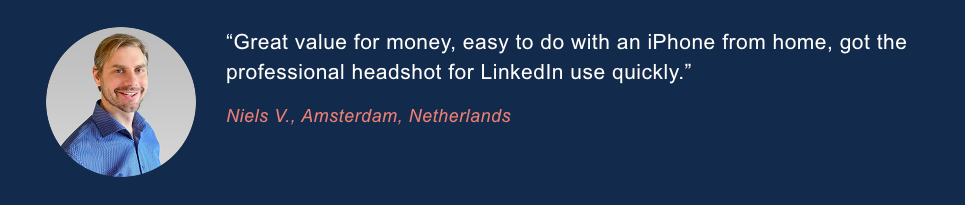
But don’t take our word for it; our happy customers are the best reflection of our business:
What to Wear for Your LinkedIn Headshots
Before striking a pose, you want the perfect wardrobe to compliment your dazzling smile! Here are some general guidelines to help you score a great first impression.
Men’s Headshots
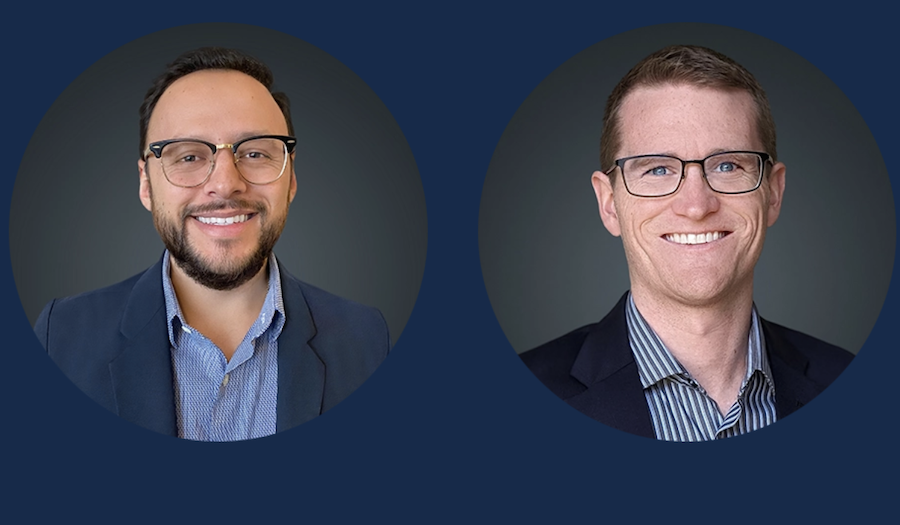
Men’s LinkedIn headshots should incorporate a dark, solid-colored wardrobe without overly distracting patterns. You can wear glasses, ties, and other accessories, but be sure they represent your day-to-day look.
Remember, LinkedIn headshots often kick off your digital first impression, so your headshot should be an accurate yet polished version of yourself.
 Women’s Headshots
 Women’s Headshots
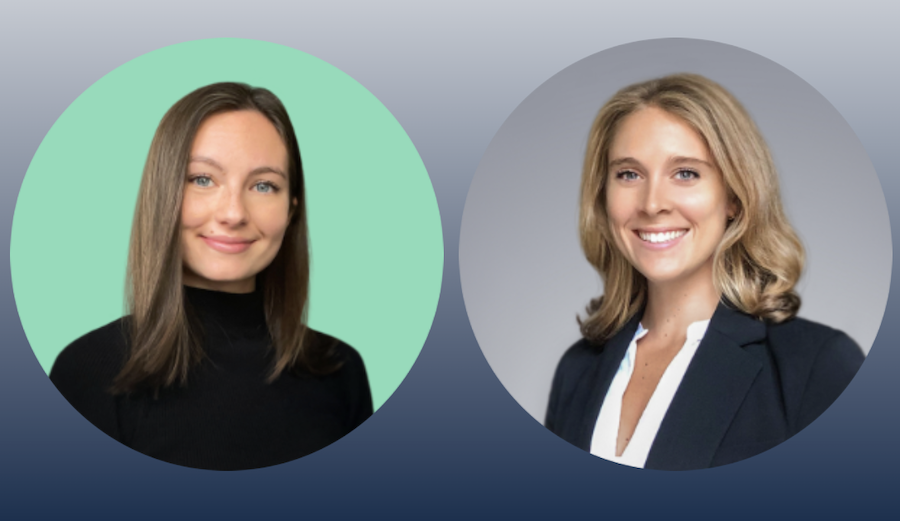
Women’s headshots can be more flexible with wardrobe, but simple necklines and solid, dark colors that don’t wash out your skin tone are best. You can also create a layered look by adding a cardigan, blazer, or jacket over a lighter base layer.
Light jewelry and makeup are fine, but opt for a natural look that doesn’t distract from the focus of the photos—your smile!
Examples of How to Pose for LinkedIn Headshots
Preparation is power when it comes to having a successful headshot photo shoot. Dazzle on shoot day with these proven headshot poses.
Front and Center
When in doubt, opt for this tried and true classic! Stand with your feet shoulder-width apart and stand tall. Focus your gaze directly on the camera, and let your smile do the talking with your arms relaxed by your sides.
On an Angle
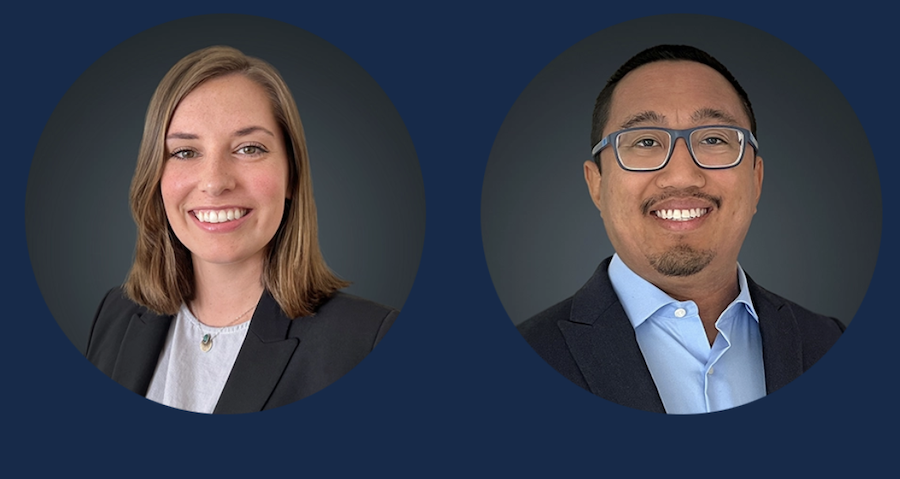
Want a power pose? This one does the trick! Frame yourself at an angle so that one shoulder is closer to the camera. Turn your head to gaze directly at the camera and complete the look with a confident grin.
Perfectly Playful
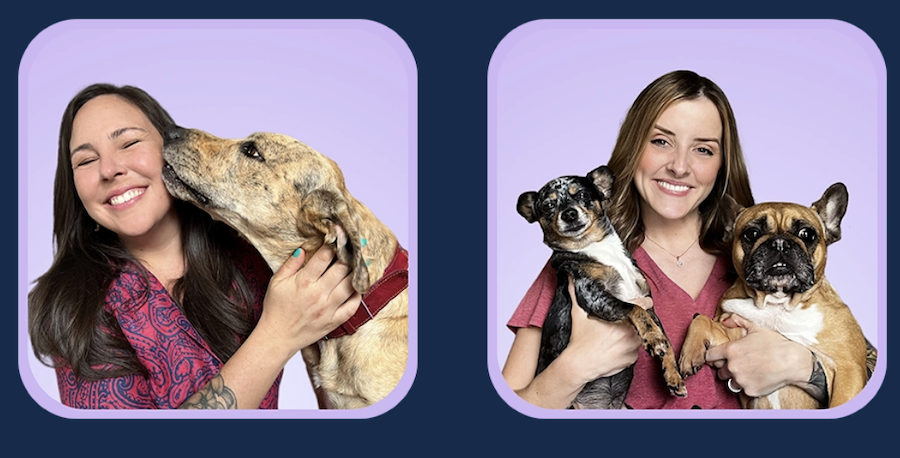
A picture is worth a thousand words, and your LinkedIn headshot is a great opportunity to visually communicate your passion for your career! Pose with a themed backdrop or props (or, in this case, furry friends) and good posture, with a focused yet relaxed gaze toward the camera.
Typical Cost of LinkedIn Headshots
A professional LinkedIn headshot may be more expensive than you think. After all, you’re not just paying for a single photo. For a traditional photo shoot, you have to factor in costs for equipment, studio rentals, the photographer’s time, and putting together a suitable backdrop.
The fees can add up fast, especially if you live in an in-demand area, with single headshots retailing hundreds of dollars:
| Traditional Photo Shoot | Headshots.com | DIY Headshots | Other AI-Generated Headshots | |
|---|---|---|---|---|
| Price Range | $100 – $1,000 per headshot | $50 – $60 per human-edited headshot, or $15 for an AI-edited headshot | $0 – $20 (phone + basic lighting) | $10 – $60 per headshot |
| Pros | • Professional photographer, lighting & composition • In-studio or on-location options • High-end retouching & print rights included |
• Very affordable & transparent pricing • Done virtually (only need the camera on your phone) • Two options to fit your budget and timeline: human-edited headshots ready in 3 business days, or AI-edited headshots ready in seconds • Human-edited options for a studio-quality look and consistency • Happiness Guarantee |
• Virtually free if you already own a smartphone • Complete scheduling flexibility • Easy to retake until you get a shot that you really like |
• Ultra-fast (minutes) • Low cost • Multiple style variations at the click of a button |
| Cons | • Expensive per image • Scheduling & travel required • Longer turnaround (5+ days to weeks) |
• Not ideal if you need in-person headshots | • Uneven lighting & composition • No professional retouching • Can look amateurish without skill or proper backdrop |
• Lack true likeness & authenticity • Often described as looking “creepy” or “waxy” • Typically require uploading 6–20 images • Limited control over fine facial details |
*Prices for “Traditional Photo Shoot” vary based on photographer reputation, usage rights, and location.
Next Steps: Get Affordable, Studio-Quality Headshots for LinkedIn in a Fraction of the Effort
Transform your obligatory profile picture into a polished, professional headshot designed to stand out on LinkedIn. Learn more about our entirely virtual headshot services.
Our skilled team walks you through the process from the planning stage to receiving your final hand-edited photo. Get top-notch LinkedIn headshots in just a few clicks.